Documentation Index
Fetch the complete documentation index at: https://docs.morph-data.io/llms.txt
Use this file to discover all available pages before exploring further.
Connecting to Athena
For an overview of the connector, please refer to the following link.
Create a Connector
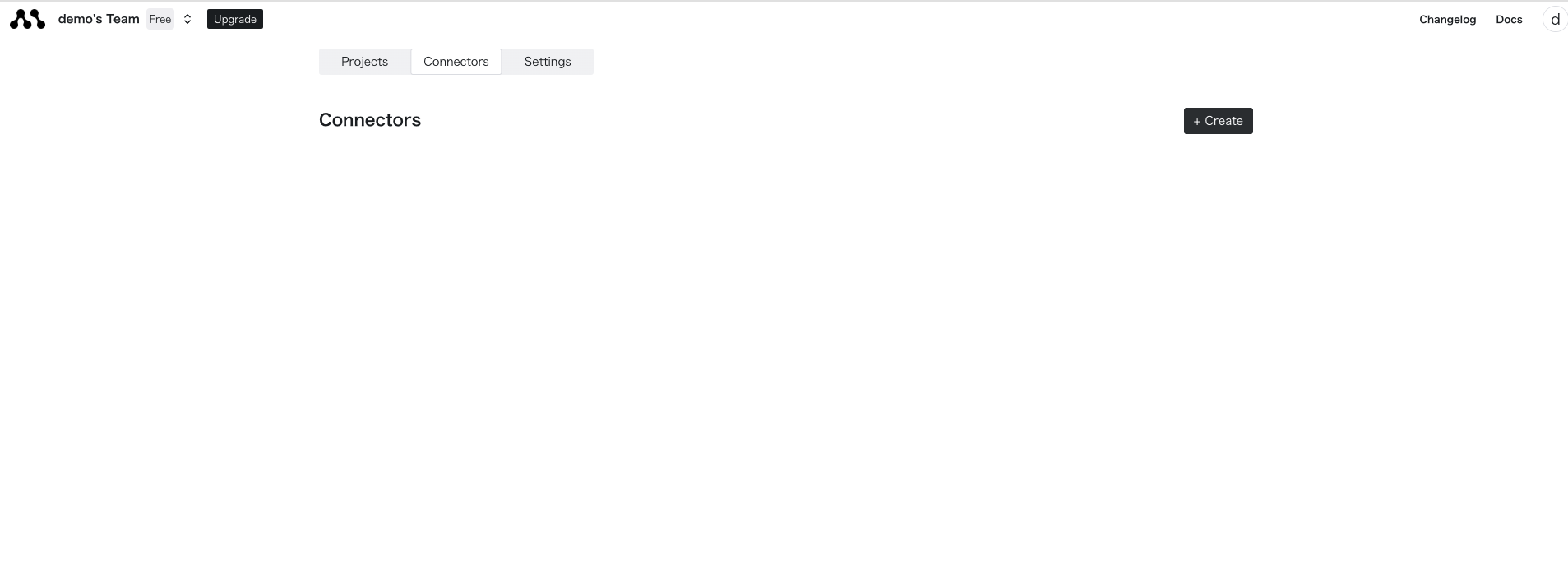
Select the “Connectors” tab on the top page and press the “Create” button.
Enter Athena Credentials
Select Athena and enter the authentication method.
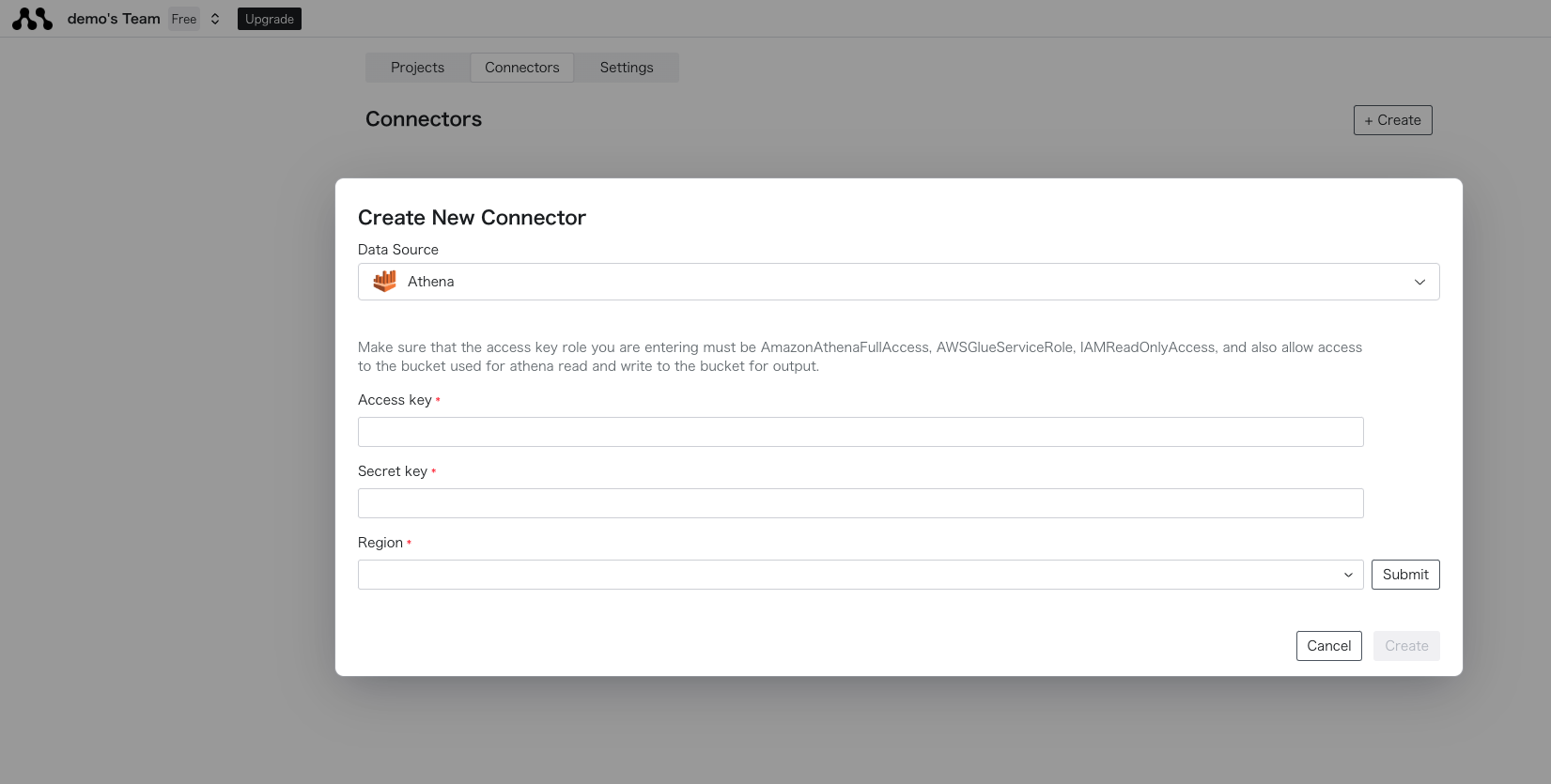
After entering, press the Create button to complete the creation. If there are any errors in the parameters, an error will be displayed, so please check if the connection details are correct. Connect to the Created Database
Once created successfully, you can obtain the connector name from the list display.Enter the created connector name in the SQL or Python code to retrieve data.{{
config(
connection="connection_name"
)
}}
select * from table_name
In the local version, you currently need to directly write the authentication information in ~/.morph/connections.yml. Please create it in the dashboard if you prefer other methods.
Edit connections.yml
If the file does not exist in ~/.morph/connections.yml, please create it beforehand and then edit it.mkdir ~/.morph
touch ~/.morph/connections.yml
connections:
athena-connection: # Unique arbitrary name
type: athena # Fixed
access_key: str
secret_key: str
session_token: str
region: str
catalog: str
database: str # Optional
work_group: str # Optional
Retrieve Data Using the Connector in Code
Enter the created connector name in the SQL or Python code to retrieve data.{{
config(
connection="connection_name"
)
}}
select * from table_name
Refreshing the access token is a dashboard feature, so the one specified will always be used in the local environment.When actually specifying and executing the file with the connector, the priority is as follows.
Also, please note that only connectors created in the dashboard can be used in the environment where morph deploy is performed.
- Connectors listed in
~/.morph/connections.yml on the local machine
- Connectors registered in the cloud