> ## Documentation Index
> Fetch the complete documentation index at: https://docs.morph-data.io/llms.txt
> Use this file to discover all available pages before exploring further.
#
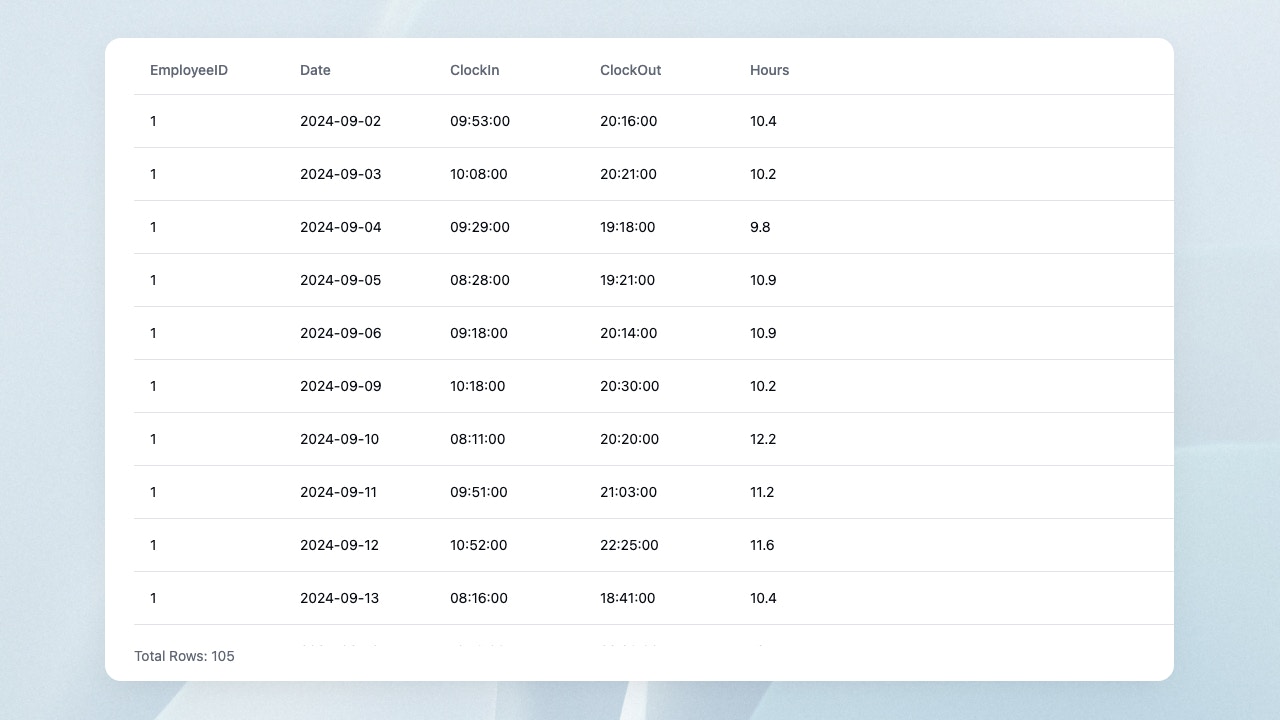 DataTable component displays the results of a Python function or SQL file execution in a table.
```tsx theme={"dark"}
```
## Properties
Name of the Python function or SQL file.
Variables to pass to the Python function or SQL file. Declare using the `defineState()` function.
Name of the columns to show. You can specify the order too.
Height of the component. Unit is px.
This documentation is built and hosted on [Mintlify](https://mintlify.com), a developer documentation platform.
DataTable component displays the results of a Python function or SQL file execution in a table.
```tsx theme={"dark"}
```
## Properties
Name of the Python function or SQL file.
Variables to pass to the Python function or SQL file. Declare using the `defineState()` function.
Name of the columns to show. You can specify the order too.
Height of the component. Unit is px.
This documentation is built and hosted on [Mintlify](https://mintlify.com), a developer documentation platform.